
999Q Download Real Money App Free for Android
yesterday
19.47MB
v7.0.8.4
Android 4+
67324

Description
Android users in Pakistan often search for ‘999Q Download’ when they want a mobile gaming app outside the Google Play Store. In most cases, they need a direct APK file, clear installation steps, and basic guidance on account setup after the download. However, a download button alone does not prove that a file is safe. Therefore, this guide explains a practical way to handle 99Q downloads while reducing common risks.
It also covers first launch, registration, payments, and responsible use in simple language. Moreover, a careful download process protects your phone storage, personal data, and future account security. Different websites may promote similar names, so you should confirm the app title, version, and source before saving any file to your device. APK installation is different from Play Store installation, and you may need to allow installation from the selected source, review permissions, and complete setup manually.
What 999Q Download Means for Android Users
999Q Download usually refers to getting the 999Q Game APK on a compatible Android phone. After installation, users can register, log in, explore games, and open wallet features. You can also visit our latest published article of 888EK.
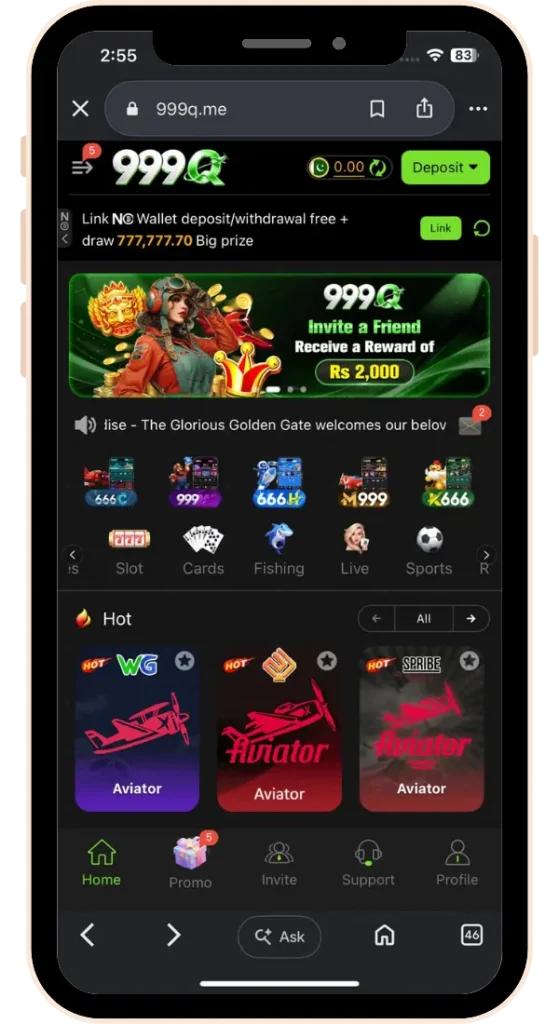
Furthermore, different websites may promote similar names. As a result, you should confirm the app title, version, and source before saving any file to your device. Also, APK installation is different from Play Store installation. You may need to allow installation from the selected source, review permissions, and complete setup manually.
Key Checks Before You Start 999Q Download Online
Prepare your device first. Check available storage, confirm a stable internet connection, and keep Android security tools enabled.
In addition, avoid APK files that promise unlimited money, forced wins, or special unlocked modes. Those files often create security problems later. Also review the following points:
- The app name should match 999Q
- Version information should be visible
- Publisher details should not look hidden
- The download page should not force repeated redirects
- The file should not ask for unrelated apps first
These checks improve the quality of your 999Q game decision.
Device Requirements That Support a Smooth Install
Most modern Android phones can install APK files, but performance still depends on system version, free storage, and memory.
Therefore, free up space before installation. Close heavy background apps. Keep your phone charged so the process does not stop midway. Moreover, a stable connection reduces incomplete downloads, which are a common reason for installation failure.
Step-by-Step Process for Safe 999Q Download App
Use the following steps when you are ready for 999Q Download:
- Open a source you consider trustworthy.
- Confirm that the file name matches 999Q.
- Review the version details shown on the page.
- Start the download and wait until it finishes completely.
- Open the file from your Downloads folder.
- Read the Android security prompt carefully.
- Check the permissions requested by the app.
- Complete installation only if everything looks consistent.
- Open the app and review the first screen before registration.
Afterward, you can turn off “Install from unknown sources” again for better device protection.
What to Do Immediately After 999Q APK
Once installation is complete, do not rush into deposits. First open the app and check the home layout. Then review account options, game categories, and support entries if available.
Next, create your account if you are a new user. Enter your mobile number, set a strong password, and complete OTP verification when asked. Moreover, explore the menus without financial pressure. This helps you understand the platform before using real money.
Registration and Login Flow After Installation
Registration
Choose Sign Up, enter the required details, and protect your password. Use a different password from your JazzCash and Easypaisa accounts.
Login
Return to the login screen, enter your registered details, and complete verification if required. If login fails, check your connection and spelling before requesting recovery.
Never share OTPs with people who claim they can activate your account faster.
Features Users Often Explore After 999Q Download Online
Depending on the current version, the app may include slots, card-style games, short casual rounds, and promotional banners. The exact list can change, so always check the live lobby.
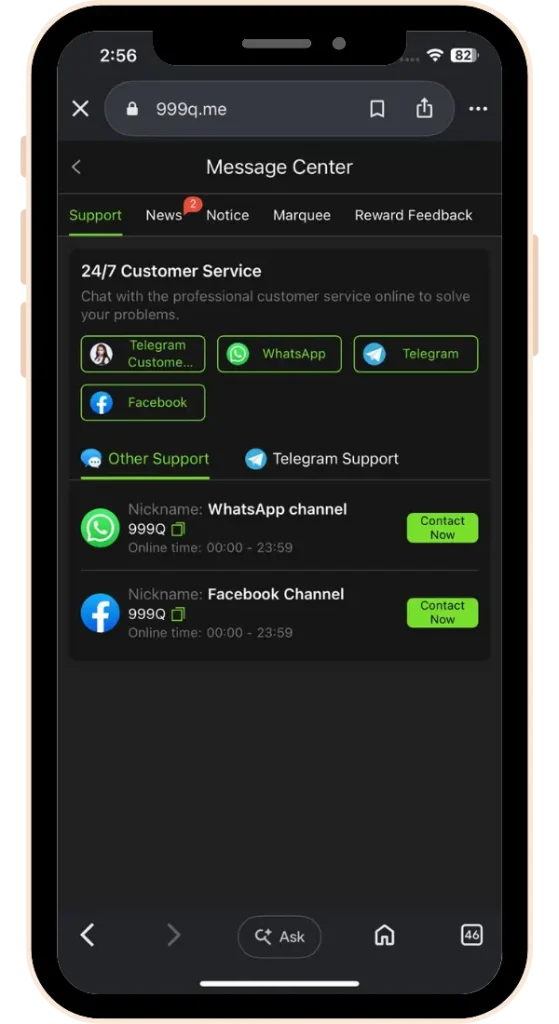
Furthermore, if real-money options appear, read the rules of each game before you participate. Chance-based results are not fixed, and previous outcomes do not control the next round. Also, look for clear information about bonuses, wallet tools, and account settings. A clean structure makes daily use easier.
Payment Options After Successful Installation
Pakistani users commonly look for JazzCash and Easypaisa after completing the 999Q game download. Confirm the available methods inside the wallet section before transferring any amount.
Deposit tips
- Select the correct method
- Enter the amount carefully
- Save the transaction reference
- Keep your payment OTP private
Withdrawal tips
- Check minimum limits
- Review bonus conditions
- Complete verification if needed
- Avoid private release-fee requests
Processing times can vary. Therefore, keep records of every transaction.
Security Priorities for Every 999Q Download User
Protecting your phone and account should remain a top priority. Download only from a source you trust. Review permissions after installation. Keep your password private. Update your phone regularly.
In addition, stop immediately if the app pressures you to deposit quickly or asks for unnecessary personal documents without clear reasons. Also avoid modified APKs, cracked files, and third-party tools that claim to boost winnings. These create serious security and financial risks.
Common Problems During 999Q Download App and Setup
| Problem | Practical Fix |
|---|---|
| Download does not complete. | Switch networks and try again from the same trusted source. |
| APK fails to install | Check storage space and Android compatibility. |
| A security warning appears. | Re-check the source before continuing. |
| The app does not open. | Restart the phone and confirm the installation is finished. |
| Login fails after installation. | Verify details and use official recovery only. |
| OTP delay | Wait, check the signal, and request the code only from the official screen. |
Bonuses Shown After 999Q Download
Some users notice welcome offers, daily rewards, or referral promotions after installing the app. These rewards can look useful, but conditions almost always apply.
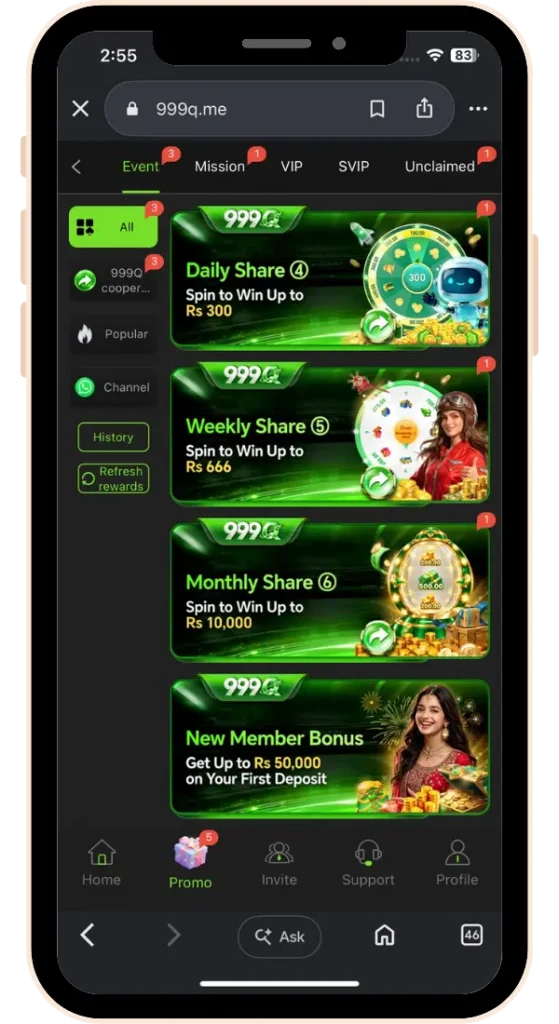
Therefore, read eligibility rules, expiry dates, and withdrawal restrictions before accepting any bonus. A promotional balance is not always the same as withdrawable cash. Moreover, do not deposit only because a banner promises high returns. Understand the terms first.
Storage, Performance and Data Use Tips
A lightweight app still needs free space for smooth performance. Therefore, remove unused files before installation. After setup, clear the cache occasionally if the app becomes slow.
Moreover, use Wi-Fi for the initial 999Q download when possible. This reduces mobile data use and improves download stability. Also close background downloads while installing the APK so the process remains uninterrupted.
Responsible Use After 999Q Download
Decide your budget before any deposit. Do not use money needed for rent, food, or family expenses. Avoid chasing losses. Take breaks during longer sessions.
Most importantly, treat the app as entertainment. No download process can turn chance-based games into guaranteed income. Furthermore, if gaming starts affecting sleep, work, or relationships, stop and seek support from someone you trust.
Practical Checklist Before and After Download
Before the Download
- Confirm source trust level
- Check version details
- Free up storage
- Keep security features enabled
After the Download
- Review permissions
- Create a strong password
- Explore menus before depositing
- Confirm payment methods inside the app
- Read bonus terms carefully
This checklist keeps the process organised and safer.
Final Remarks
999Q Download can give Android users in Pakistan quick access to a mobile gaming app, but the quality of the experience depends on careful installation and responsible use. Verify the source, protect your login details, confirm payment methods inside the app, and keep a fixed budget.
In the end, a safe download process is more valuable than a fast one. Take your time, check every step, and stay in control of both your device and your spending.
Frequently Asked Questions
It refers to downloading the Android APK file used to install the 999Q application.
Safety depends on the source of the file and your security habits. Always verify the APK before installation.
Most modern Android phones can install APK files, but compatibility still depends on the app version and system requirements.
Only if you choose to deposit money and those methods are available in the app at that time.
No. Real-money games involve risk, and results are never guaranteed
Restart your phone, check storage, confirm the installation completed, and avoid random replacement files from unknown mirrors.
Download links
How to install 999Q Download Real Money App Free for Android APK?
1. Tap the downloaded 999Q Download Real Money App Free for Android APK file.
2. Touch install.
3. Follow the steps on the screen.