
555UV Game Download
Today
43.1MB
v3.8.5
Android 4+
6000+

Description
The growing interest in mobile entertainment has encouraged Android users to explore different gaming applications. Many people now search for platforms that offer convenient mobile access, simple navigation, and a variety of digital activities. 555UV Game is one of the names appearing in searches related to this market.

However, discovering an application online and verifying its authenticity are two different things. A website may display an application name, promotional banners, or download information without proving that it belongs to the original developer.
This guide takes a practical approach to the 555UV game online. Instead of relying on promotional promises, it explains what users should investigate before downloading an APK, creating an account, or exploring the platform. It also discusses Android compatibility, privacy considerations, account security, and responsible usage.
555UV Game APK Identity
Before exploring any mobile gaming service, users should establish which application they are actually accessing. This is particularly important when several websites use similar names or publish pages with slightly different branding. Users can also visit EP55.
Online listings describe 555UV Game App as a mobile gaming application, but the original developer, verified distribution channel, and complete service details have not been independently established. Some available listings also use inconsistent branding, including references to 55VU, which makes careful identification especially important.
A Preliminary Platform Check
| Information | Verification status |
|---|---|
| Search name | 555UV Game |
| Application category | Described online as a gaming app |
| Original developer | Not independently confirmed |
| Official website | Not authenticated |
| Current version | Not independently verified |
| APK specifications | Require confirmation. |
| Supported devices | Not confirmed |
| Payment facilities | Not independently verified |
These details should be checked against the original publisher’s documentation before users rely on any third-party listing.
What Features Should You Examine on the 555UV Latest Version?
An application’s overall quality depends on more than its name or appearance. Users should examine how the actual service works, which features it provides, and whether its instructions are clear.
The following areas can help readers assess 555UV game download if they locate an authenticated version.
Interface and Navigation
A useful mobile interface should make its main sections easy to understand. Menus, account settings, help information, and privacy controls should be accessible without unnecessary confusion.
Available Gaming Activities
Check the actual game library rather than relying on generic descriptions. Do not assume that 55UV Game contains specific card games, slots, sports activities, or other entertainment categories unless the verified provider confirms them.
Account Management
Users should look for understandable account settings, password management, recovery instructions, and access to relevant terms.
Mobile Compatibility
The application should provide clear information about supported Android versions, device requirements, and installation procedures.
Customer Assistance
A reliable service should explain how users can contact its support team. Be cautious of representatives who request passwords, OTPs, or payment information through unofficial communication channels.
Understanding the Download Process of 555UV Game APK
An APK is an Android application package used to install software on compatible Android devices. Some developers distribute APK files through Google Play, while others provide them through their own websites.
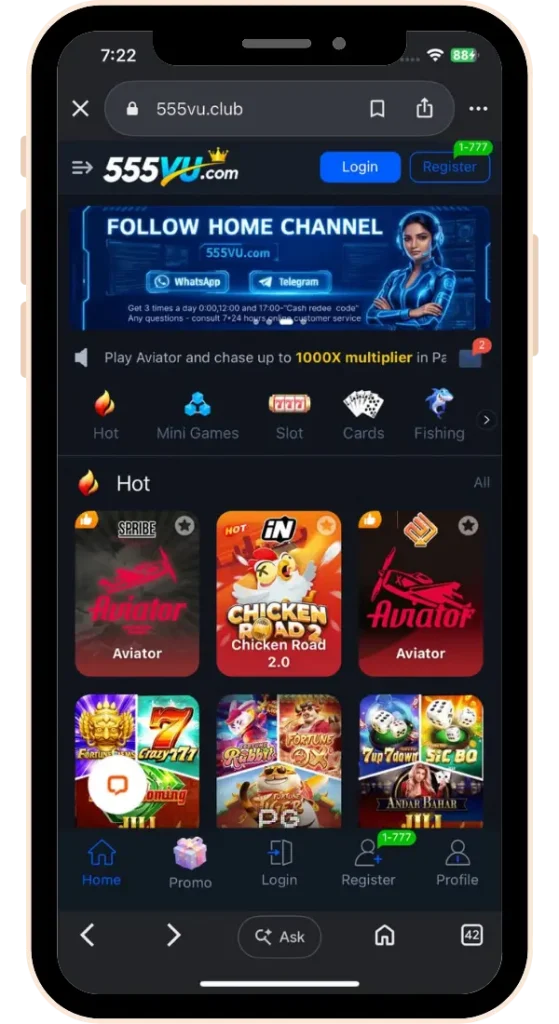
However, a download page displaying the 555UV game online does not automatically prove that its file is genuine.
Five Checks Before Downloading
1. Confirm the website identity.
Check the complete website address and investigate whether the publisher identifies itself clearly.
2. Review the APK information.
Look for the application name, package identity, version number, file size, and supported Android requirements. Compare these details with information from the developer.
3. Examine the privacy policy.
Understand what information the application collects and whether it explains how that information is used.
4. Check the file’s authenticity.
Where possible, inspect its digital signature and scan the file using a reputable security solution.
5. Avoid misleading download buttons.
Some third-party pages display several advertisements or redirects around a download link. Do not open unrelated files or install software simply because a page labels it as the latest version.
An authenticated 555UV game APK source has not been established in the available research. Therefore, this article does not recommend a particular third-party download link.
Installing 555UV Game on Android
If you obtain an installation package from a source you have independently verified, follow the standard Android installation process.
- Open your device’s Downloads folder.
- Locate the downloaded APK file.
- Check its name and file details.
- Open the file and review any Android security notification.
- Examine the permissions requested by the application.
- Continue only if you trust the source and understand the risks.
- After installation, review the application’s privacy and account settings.
Android may prevent installation when a file appears harmful, incompatible, or improperly signed. Do not disable important security protections just to install an unfamiliar application.
Registration Requirements and Login Access
Account facilities vary between applications. The exact registration and login procedures for 555UV Games have not been independently verified, so users should follow instructions only from an authenticated provider.
Creating a New Account
If the verified application supports registration, users should first review its eligibility requirements and privacy terms.
A general registration process may involve:
- Opening the authenticated application or website.
- Selecting the available sign-up option.
- Reviewing the information requested.
- Creating a unique password.
- Completing the provider’s verification procedure, if required.
- Reading the terms before submitting the form.
Do not submit unnecessary personal details to an unfamiliar website.
Accessing an Existing Account
Existing users should use the login facility provided by the authenticated service, if available. Keep account credentials private and avoid signing in through links received from unknown sources.
What If Login Fails?
Try these basic checks:
- Confirm that the entered account details are correct.
- Check your internet connection.
- Make sure the application is compatible with your device.
- Use an official recovery option if one exists.
- Contact support only through a verified communication channel.
Never share a verification code or password with someone claiming to recover your account.
Promotions and Rewards
Promotional messages can make gaming applications appear attractive, particularly when they mention welcome rewards, referrals, or special offers. However, an advertisement does not prove that a promotion is available to every user.
No specific 555UV game bonus, reward amount, referral benefit, or guaranteed earning opportunity has been independently confirmed.
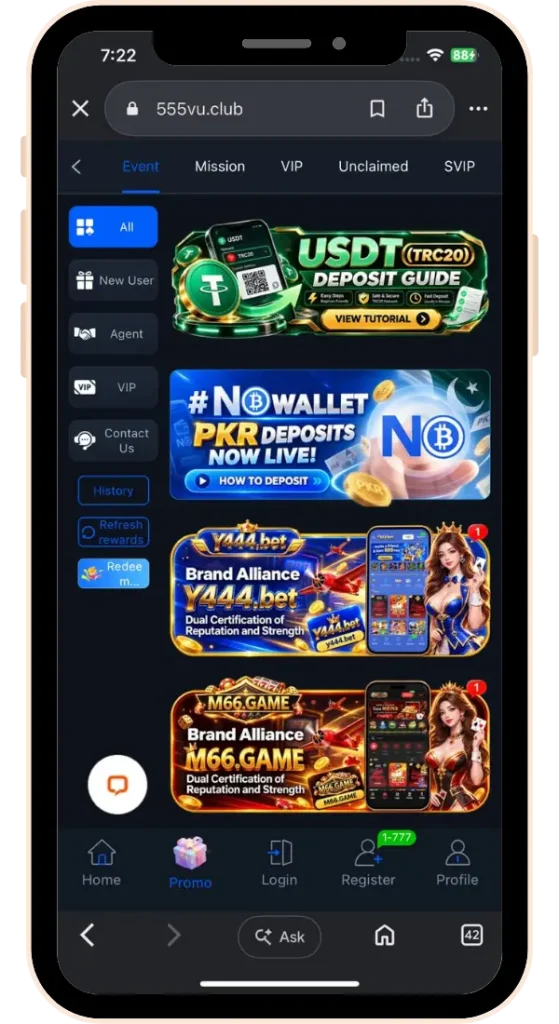
Before accepting an offer, investigate:
- Who qualifies for the promotion?
- Does the offer have an expiry date?
- Are there deposit or activity requirements?
- Do promotional balances have withdrawal restrictions?
- Can the provider explain the terms clearly?
Treat guaranteed-income statements with caution. Gaming outcomes are not a dependable source of earnings.
Payments and Withdrawals
Some online gaming services advertise deposits and withdrawals through digital payment channels. However, the payment facilities of the exact 555UV game platform have not been reliably confirmed.
Do not assume that it supports JazzCash, Easypaisa, bank transfers, or any other payment method without checking authenticated provider information.
Before Making a Deposit
Review the payment policy, transaction limits, applicable fees, and recipient details. Confirm that the payment destination genuinely belongs to the service.
Before Requesting a Withdrawal
If the platform provides a withdrawal facility, understand its minimum limits, processing conditions, verification requirements, and dispute procedure.
Protect Your Financial Information
Never disclose your mobile wallet PIN, banking password, or OTP. Avoid sending money to personal accounts based on instructions from unknown agents.
Most importantly, do not pay unexpected additional charges merely because someone promises to release a pending reward or withdrawal.
Security and Privacy
The security of an application cannot be established through promotional descriptions alone. Its developer, installation file, permission requests, and privacy practices all matter.
Use the following checklist before considering the 555UV game.
Device Protection
Keep your Android operating system updated and maintain built-in security features such as Google Play Protect.
Permission Management
Review whether the application genuinely needs each permission. A gaming application should not receive unnecessary access to sensitive device information.
Password Safety
Use a strong, unique password. Avoid reusing credentials from your email, banking, or social media accounts.
Data Privacy
Read the privacy policy and understand how the service handles personal information. Avoid uploading identity documents unless the operator and its reason for requesting them are properly verified.
Avoid Modified Applications
Do not install unofficial modified APKs advertised as unlocked, premium, or guaranteed-reward versions. Their contents may differ from the original software and could expose your device to additional risks.
Evaluating the 555UV Game Download APK
A balanced assessment should distinguish between what users may find interesting and what has actually been confirmed.
What May Attract Users?
- Interest in exploring another mobile gaming application.
- The possibility of accessing entertainment through an Android device.
- An opportunity to evaluate its interface and available activities.
- Interest in understanding its account and support facilities.
These points describe possible user interests rather than verified advantages of 555UV Game.
What Still Needs Verification?
- The original publisher and operator.
- The authenticity of the available APK.
- The actual game selection.
- The current application version.
- Account registration and recovery facilities.
- Payment and withdrawal conditions.
- Privacy, security, and licensing information.
These unresolved points are important. Users should not treat an application as trustworthy merely because several websites publish similar descriptions.
Availability and Legal Considerations in Pakistan
Pakistani users should check whether a mobile gaming service is available and permitted in their region. Website accessibility alone does not establish that an operator is authorised to provide every advertised service.
If 555UV Game involves wagering, gambling, or real-money participation, users should investigate the applicable Pakistani laws and relevant official guidance before taking part.
Age restrictions and the platform’s eligibility requirements should also be considered. Users should avoid risking essential expenses, borrowing money for gaming, or participating in activities that may create financial or legal problems.
Common Android Issues
Installation and performance problems can occur with many Android applications. The following suggestions provide general troubleshooting guidance.
| Issue | Suggested check |
|---|---|
| APK installation fails | Check compatibility, file integrity, and available storage. |
| Application does not open | Restart the device and review system compatibility. |
| Login problem | Verify credentials and use official recovery instructions. |
| Slow loading | Check the internet connection and close unnecessary background apps. |
| Download interruption | Check network stability and avoid unrelated download mirrors. |
| Unexpected permission request | Stop and investigate why the application requires that access. |
If a file repeatedly fails to install or triggers a security warning, do not keep trying unknown versions from different websites.
Final Summary
555UV Game may attract attention from people exploring mobile entertainment applications in Pakistan. Nevertheless, users should evaluate the actual service instead of relying entirely on search listings or promotional descriptions.
The most important steps are to identify the original publisher, authenticate the installation package, review privacy practices, and understand the platform’s terms. Payment options, promotional rewards, and withdrawal facilities should remain untrusted until the provider confirms them through reliable documentation.
Download links
How to install 555UV Game Download APK?
1. Tap the downloaded 555UV Game Download APK file.
2. Touch install.
3. Follow the steps on the screen.